Google Business Profile optimisation means setting up and maintaining your free Google listing so that it appears in more of the searches your customers make, and turns more of those views into calls and visits. Most people still know the listing as Google My Business, its name until 2021. Still, the work itself is not secret. It is a handful of fields set correctly, a steady flow of genuine reviews and the discipline to keep both up to date.
- Google ranks local results on relevance, distance and prominence, and says there is no way to pay for a better local ranking.
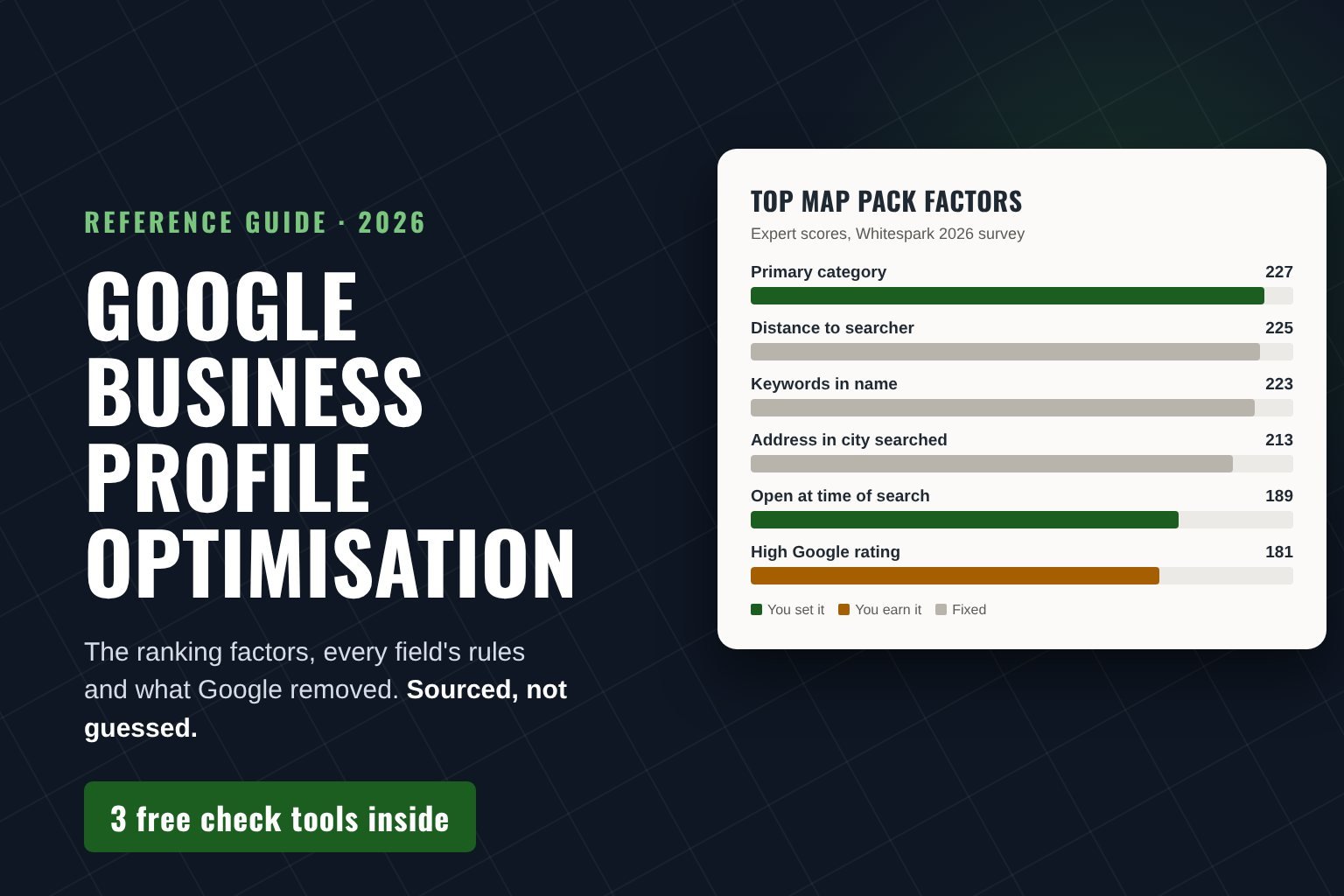
- The strongest factor you control is your primary category, ranked first by 47 experts in Whitespark’s 2026 survey.
- A business description can be up to 750 characters, with no links and no focus on prices or sales.
- Google began removing the Q&A section from Maps in December 2025. An AI Ask feature now answers from your details and reviews.
- 74% of US consumers only care about reviews written in the last three months (BrightLocal, 2026).
Above all, this guide is built to be checked, not trusted. So every rule comes from Google’s own help centre, and every ranking claim from Whitespark’s 2026 survey of 47 local search experts. Every consumer figure, in turn, comes from BrightLocal’s 2026 review survey. Where we give an opinion, we say so.
We should also be open about our interest. We are a small web design and SEO agency in Chur, Switzerland, and profile optimisation is one of the services we sell. That is exactly why this guide shows you how to do all of it yourself first.
How Google Ranks a Google Business Profile
To begin with, Google states that local results are based mainly on relevance, distance and prominence. Relevance is how well your profile matches the search, and distance is how far you are from the person searching. Finally, prominence is how well known you are, which Google judges partly from links and reviews. Google also says plainly that there is no way to request or pay for a better local ranking.
The 16 factors that matter most
That tells you what matters, but not how much. For weighting, however, the best public evidence is Whitespark’s Local Search Ranking Factors survey. In the 2026 edition, 47 local search specialists scored each factor for the map pack. So here are the sixteen strongest, coloured by who controls them.
Top 16 map pack ranking factors, 2026
Expert score in Whitespark’s Local Search Ranking Factors survey (higher means more important)
Source: Whitespark, Local Search Ranking Factors 2026, 47 contributors, published 6 November 2025. The colour grouping is our own.
What the factor data means for you
In short, six of the sixteen are settings you can fix in an afternoon. Another five you earn over months, mostly through reviews. Finally, the remaining five are fixed by where you are or by Google’s rules. In our view, that split explains why so many Google Business Profile optimisation services disappoint: they bill for factors no one can change and skip the settings that cost nothing.
Also note the third factor, keywords in the business name. It clearly works, which is why so many profiles are stuffed with them. However, Google requires your real-world name, and a stuffed name can be changed back or get the profile suspended. So treat it as a factor you cannot use, unless the keyword really is part of the name on your sign.
Score your Google Business Profile in two minutes
Tick what is already true. Each item is weighted by its expert score in Whitespark’s 2026 survey, so the result shows which fixes matter most.

Every Google Business Profile Field and What It Does
These fields are the raw material of Google Business Profile optimisation. Accordingly, the table lists each one, Google’s own rule for it and the job it does. The rules are quoted from Google’s help centre as it stood in October 2026, so check them again if you read this much later.
Google’s rules for each field
| Field | Google’s rule | What it does | Common mistake |
|---|---|---|---|
| Business name | Your real-world name, as on your signage. No taglines, locations or keywords | Identifies you, and is weighted heavily | Adding “Plumber Manchester” to the name |
| Primary category | One category, as specific as possible, for what the business is | The strongest factor you control | Choosing a sideline because it pays better |
| Additional categories | Up to 9 more, but as few as possible | Opens related searches | Using categories as keywords |
| Description | Up to 750 characters. No links or HTML, and no focus on promotions or prices | Tells people, and AI answers, what you do | Prices, sales or a web address |
| Services | Predefined services plus your own | Gives Google labelled jobs to match | An empty or two-item list |
| Hours | Regular customer-facing hours, plus special hours | Decides whether you show as open | Forgetting public holidays |
| Address or service area | Hide the address if customers do not visit. Up to 20 service areas, about 2 hours’ drive | Sets distance and eligibility | Using a virtual office |
| Phone | One main number plus up to 2 more, no fax | Counts calls in Performance | Rotating tracking numbers |
| Website | Link to your own site | Connects profile and website | Linking a social media page |
| Photos | Real photos of the business | Builds trust before a visit | Stock images |
| Posts | Updates, offers and events. Archived after 6 months unless dated | Shows the business is active | Weekly filler posts |
| Opening date | Month and year. Future dates show 90 days before | Lets a new business appear early | Leaving it blank |
Check your business description against Google’s rules
- Within Google’s 750-character limit
- No links or web addresses (Google allows none)
- Not focused on prices, sales or promotions
- No shouting in capital letters
- No emoji strings or repeated punctuation
Of course, the check runs in your browser, and nothing is sent anywhere. It covers Google’s written rules, not whether the text is persuasive.
Writing a description that works
Put the essentials first, because many readers only skim the opening lines. A simple order works for most businesses: what you are, who you serve and where, what you are known for, and one practical detail such as parking or appointments. Write it for a person, since Google’s AI Ask answers also draw on your business information.
Keep it plain. A description that reads “Family-run plumbing and heating business serving south Manchester since 2009” does more than a string of keywords, and it will never break Google’s rules. Then paste your draft into the checker above before you publish it.
Service-area businesses
If customers never come to your address, Google asks you to hide it and list the areas you serve instead. In that case, you can add up to 20 service areas, by town or postcode, and the whole area should stay within roughly two hours’ drive of your base. However, do not draw a huge radius to look bigger. After all, it does not help you rank where you are not, and it can bring calls you cannot serve.
Categories and Services Decide Which Searches You Enter
If you fix one thing today, fix the primary category. In fact, Google’s test is simple: complete the sentence “This business is a”, not “This business has a”. A bakery that also caters is a bakery. Choosing “Caterer” because catering pays better removes you from the bakery searches that bring in most of your customers.
Additional categories then cover the other things your business genuinely is. Google allows nine more but asks for as few as possible. In practice, we add one only when customers search for it and the business still passes the “is a” test.
Services work differently. They do not move you into a new category, but they give Google labelled jobs to match against a search. Whitespark’s experts rank predefined services 22nd and custom service titles 30th, so both count. Select every predefined service you offer, then add your own in the words customers use: “boiler repair”, not “thermal solutions”.
Google Business Profile Reviews: Count, Recency and Words
Reviews appear four times among the top sixteen factors: the rating, the number of reviews with text, how recent they are and a steady flow over time. Customers also read them just as closely. BrightLocal’s 2026 survey of 1,002 US consumers found the following.
What customers do with reviews, 2026
Share of 1,002 US consumers surveyed by BrightLocal
Source: BrightLocal, Local Consumer Review Survey 2026.
In particular, the recency figure is the one we would underline. If three quarters of customers ignore reviews older than three months, a profile with 200 reviews from 2023 looks abandoned. So a steady trickle beats a big batch, for customers and for the ranking factors alike. For most businesses, reviews are therefore the longest-running part of Google Business Profile optimisation.
How to ask for reviews without breaking the rules
Google’s policy, however, forbids two things businesses often do. You may not offer anything in return for a review, whether a discount or a free coffee. Nor may you ask only your happy customers. In the UK, fake and concealed incentivised reviews have also been illegal since 6 April 2025, with fines of up to 10% of global turnover. In the US, the FTC rule on fake reviews has applied since 21 October 2024.
So ask every customer, soon after the job, with a short link. Then make it easy to write something useful. A line such as “It helps other people if you mention what we did for you” produces reviews that name the service, which is what the next customer wants to read. Finally, reply to reviews, including the bad ones. Google recommends it, and 89% of consumers also expect a response.
How to reply, especially to bad reviews
Reply within a few days. After all, BrightLocal found that 81% of consumers expect a response within a week. Keep replies short and specific: thank the customer, name the job if it helps the next reader, and leave out stock phrases.
Negative reviews deserve the most care, because future customers read them closely. So acknowledge the problem, explain what you have done about it and offer a direct contact. Above all, never argue in public or reveal private details. A calm, factual reply often does more for your reputation than the original complaint did against it.
Hours, Photos and Posts Prove the Business Is Open
Being open at the time of search ranks fifth of all factors, so wrong hours cost you twice. To begin with, you drop out of searches for businesses open now. Then anyone who finds a locked door may leave a review about it. Set special hours for every holiday before it arrives.
Two small settings also sit right next to hours. First, check the map pin. It ranks tenth among all factors, and a pin dropped on the wrong side of a building sends people to the wrong entrance. Second, fill in the attributes Google offers for your category, such as an accessible entrance, parking or payment options. They answer practical questions before anyone has to ask.
Photos are about trust more than rankings. Google publishes no figure for how photos affect position, so be wary of anyone who quotes one. What photos clearly do is answer the questions people have before they visit: what the place looks like, who works there and what the finished job looks like.

- Licensed stock photography
- Graphics with text overlays
- Heavily filtered interior shots
- Your logo uploaded several times
- The entrance, so people find the right door
- Your team at work
- Finished jobs and real products
- Recent photos, added every few months
Posts deserve less effort than most guides suggest. Google archives them after six months unless they carry a date range, and posting appears nowhere in the top factors. Use them for real news, offers and events rather than as a weekly ritual.
What Google Removed From Business Profiles, 2024 to 2025
Advice ages fast here. In fact, several features that older Google Business Profile optimisation guides still recommend no longer exist. This is what changed, according to Google’s announcements and the trade press that reported them.
| Date | Change | What to do now |
|---|---|---|
| March 2024 | Websites built inside Business Profile were turned off, with redirects until 10 June 2024 | Link the profile to your own website |
| 15 July 2024 | New chat conversations stopped | Make calling and your contact form easy instead |
| 31 July 2024 | Chat and call history were removed | Use call clicks in Performance or your own phone records |
| 3 November 2025 | The Q&A API was discontinued | Stop paying for tools that post questions and answers |
| December 2025 | Google began removing Q&A from Maps, replacing it with an AI Ask button | Complete every field and earn detailed reviews |
The Ask change matters most. Instead of scrolling a list of questions, customers can now ask Maps directly, and the answer comes from your business details and your reviews. Meanwhile, BrightLocal found that 45% of US consumers use ChatGPT or similar tools for local recommendations, and 82% read AI-generated review summaries. In other words, complete, accurate fields and specific reviews are what all of these systems have to work with.
How to Measure Google Business Profile Optimisation
Searching your own business name from your own office tells you very little, because Google tailors that result to you. Use the Performance report instead. It shows views, searches, calls, direction requests, website clicks and, where they apply, bookings and messages.
One correction to older advice, including an earlier version of this page: Performance no longer splits searches into “direct” and “discovery”. Instead, watch the list of search terms, which Google updates at the start of each month and which can take up to five days to appear. Indeed, new terms you never targeted are the clearest sign that your categories, services or review text have started working.
Google Analytics, on the other hand, cannot separate profile visits from other Google traffic unless you tag the website link. Build a tagged link below, then paste it into the website field of your profile.
Tag your profile’s website link
Then paste the result into the website field of your profile. In Google Analytics, visits from the profile then show the campaign name gbp, separately from other Google traffic.
Finally, check rankings the way customers see them, from several points across your area rather than one. For example, our free map pack check opens the same search in Google Maps for any trade and town.
A 30-Day Google Business Profile Plan
Order matters more than effort, because the later steps only pay off once the earlier ones are right.
| Week | Action | Time |
|---|---|---|
| 1 | Fix the primary and additional categories, add every service you sell, correct regular and holiday hours, and check the map pin. | 90 minutes |
| 1 | Then match the name, address and phone on your website to the profile, word for word. | 30 minutes |
| 2 | Replace stock images with ten real photos of the entrance, inside, team and finished work. Rewrite the description within 750 characters. | 60 minutes |
| 2 | Set up a review link and a request message, then start asking every customer. | 30 minutes |
| 3 | Reply to every review from the past year, starting with the negative ones, and also tag the website link. | 60 minutes |
| 4 | Finally, read the search terms in Performance and add any service customers search for that you have not listed. | 30 minutes |
That adds up to about five hours of Google Business Profile optimisation. If you already work through a small business SEO checklist, run the two together, since your website and your profile support each other.
Would rather hand it over? Our one-off Business Profile optimisation covers most of the first two weeks of the plan above: categories, services, hours, photos, a review system and a website that matches. It costs $249 (£179, CHF 200), with no contract.
See what the $249 optimisation includesWhere Google Business Profile Optimisation Stops Working
Distance sets the first ceiling. It is the second-strongest factor, so a business eight kilometres away will rarely beat one around the corner for a “near me” search, however good its profile. Similarly, showing a street address is itself the seventh-strongest factor, which puts service-area businesses at a built-in disadvantage.
Spam competitors set the second. Fake listings and keyword-stuffed names still hold places in many map packs. Whitespark’s experts rank the removal of spam listings 19th, so reporting them through Google’s business redressal complaint form is legitimate work, not pettiness.
Your website sets the third. Indeed, matching contact details, a page for each service and clear page titles all appear in the top 25 factors. A perfect profile pointing to a thin site leaves ranking on the table, which is why we fix the profile first and the website second.
Google Business Profile Optimisation FAQ
Is Google My Business the same as Google Business Profile?
Yes. Google renamed Google My Business to Google Business Profile in November 2021. The listing, its fields and the way it ranks did not change, so most people still use both names.
How long does Google Business Profile optimisation take to work?
There is no fixed timeline. Edits such as a corrected category or hours go live once Google has reviewed them, and their effect can show soon after. Reviews, links and local mentions, however, build over months.
How many categories should I choose?
One primary category that says what the business is, plus additional categories only for the other things it genuinely is. Google allows up to nine more but asks you to use as few as possible.
Can I add keywords to my business name?
Only if they are part of your real name as it appears on your signage. Otherwise it breaks Google’s guidelines, and the name can be changed back or the profile suspended.
Does replying to reviews help?
Google recommends it, because it shows customers that you value their feedback. Customers also notice: in BrightLocal’s 2026 survey, 80% said they would use a business that replies to all its reviews.
Can I use a virtual office or a mailbox address?
No. Google says a virtual office is not eligible for a Business Profile, and mailboxes at remote locations are not accepted. If you serve customers at their address, hide your own address and set up to 20 service areas instead.
Should I still add questions and answers to my profile?
No. Google began removing the Q&A section from Business Profiles in Maps in December 2025. Its AI Ask feature now answers customers from your business information and reviews, so complete fields matter more.
The Short Version
So set the six things you control, earn reviews every month and stop paying anyone to change the five things nobody can. Everything else on a Google Business Profile optimisation checklist is detail.
How we researched this guide: we checked each rule against Google’s Business Profile help centre and policies on 20 October 2026, used the published factor scores from Whitespark’s 2026 survey and the consumer figures from BrightLocal’s 2026 survey, and dated every change to the product. The colour grouping of the factors is our own judgement. Last reviewed 20 October 2026.
References
- Google: Tips to improve your local ranking on Google
- Google: Guidelines for representing your business on Google
- Google: Edit your Business Profile (limits for description, categories and phone numbers)
- Google: Service areas for service-area and hybrid businesses
- Google: Create a post for your Business Profile
- Google: Business Profile performance metrics
- Google Maps: Prohibited and restricted content (fake engagement, rating manipulation)
- Whitespark: Local Search Ranking Factors 2026
- BrightLocal: Local Consumer Review Survey 2026
- PPC Land: Google replaces Business Profile Q&A with an AI button
- StepForth: Google phases out chat and call history
- TechRadar: Google shuts down websites made with Business Profiles
- CMS: The DMCC Act bans fake reviews
- Perkins Coie: FTC finalises rule banning fake reviews
- Search Engine Land: Google’s complaint form for fake information in Maps