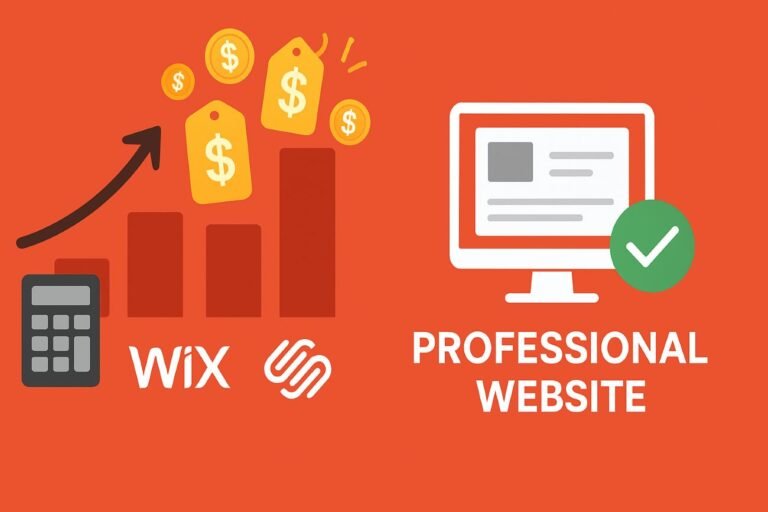
The digital marketing industry has sold small businesses a very dangerous lie: that a £300 drag-and-drop template is a bargain. In 2026, the algorithmic reality is brutal. Slow, bloated websites actively repel organic traffic and destroy conversion rates. Discover exactly how small businesses bleed revenue through hidden technical debt, and learn the precise mathematics of building a high-speed, natively coded digital asset that actually pays for itself.
Every small business owner eventually sits at the same frustrating financial crossroads. You know you need a professional website to survive. You ask around for quotes. One local agency quotes you £4,500. A freelancer on Fiverr quotes you £300. A television advert tells you that you can build it yourself on Wix for £15 a month.
If you are bootstrapping a new plumbing company, a local bakery, or an independent law firm, the £300 option seems like the only logical choice. You look at a spreadsheet, you see a massive upfront saving, and you pull the trigger.
Six months later, the reality sets in. The website looks decent on your desktop monitor, but your phone isn’t ringing. When you try to load the site on your mobile phone while walking down the street, it takes five agonizing seconds for the text to appear. When you search for your core services on Google, your competitors dominate the first page, and you are nowhere to be found. You didn’t save £4,200. You bought a digital anchor.
To win in 2026, we must completely redefine the word “affordable.” True affordability has absolutely nothing to do with the upfront price tag. It is entirely about the Total Cost of Ownership (TCO) and the Return on Investment (ROI). This masterclass is a boots-on-the-ground teardown of the modern web design industry. We are going to expose the hidden costs of cheap templates, introduce the concept of treating your website like commercial real estate, and map out the exact structural engineering required to build a revenue-generating machine.
Part 1: The Illusion of the Cheap Template
To understand why a £300 website is a financial hazard, you need to understand how it is manufactured. No professional developer is writing bespoke code for three hundred pounds. They are purchasing a massive, multi-purpose “theme” from an overseas marketplace, uploading your logo, pasting your text into the boxes, and handing it over.
These templates are designed to appeal to everyone—from yoga studios to corporate banks. To achieve this flexibility without coding, they rely on massive, heavy “page builders” (like Elementor, WPBakery, or Divi). This creates the ultimate enemy of modern SEO: DOM Bloat.
The Speed Tax and Google’s INP Metric
The Document Object Model (DOM) is the underlying structure of your webpage. When a cheap page builder is used to create a simple text box, it often wraps that text in ten layers of unnecessary, invisible code. To a human eye, the website looks fine. To a mobile phone processor trying to render the page on a weak 4G connection, it is a nightmare.
In 2026, Google strictly enforces a Core Web Vital metric called Interaction to Next Paint (INP). This measures how quickly a page responds when a user taps a button or link. If a customer taps your “Contact Us” button and there is a half-second delay because their phone is choking on thousands of lines of useless template code, you fail the test. Google actively suppresses businesses that fail this test, burying them deep in the local search results. By falling for the cheap web design, you inadvertently make your business invisible to the exact people trying to pay you.
Part 2: The Mathematics of a Lost Customer
Let’s remove the technical jargon and look at pure commercial mathematics. Why does a slow, cheap website cost you money? It comes down to friction and bounce rates.
A “bounce” occurs when a user lands on your site and leaves without clicking anything. Extensive consumer behavior data shows that if a mobile website takes longer than 2.5 seconds to load, the bounce rate spikes over 50%. New modern consumers do not wait; they hit the back button and call the next business on the list.
Imagine you run a local HVAC (heating and cooling) business. Your average profit per service call is £200. You manage to drive 300 local visitors to your website each month via Google Maps and word of mouth.
- Scenario A: The £300 Bloated Template
The site takes 4.5 seconds to load.
Bounce Rate: 60% (180 people leave immediately).
Remaining Prospects: 120.
Typical Conversion Rate (5%): 6 actual service calls.
Monthly Revenue: £1,200 - Scenario B: The Lean Architecture Build
The site is natively coded and loads in 0.8 seconds.
Bounce Rate: 15% (Only 45 people leave).
Remaining Prospects: 255.
Typical Conversion Rate (5%): 12 actual service calls.
Monthly Revenue: £2,400
A slow website isn’t an inconvenience; it’s a structural leak in your sales funnel. Discover how our lean, natively coded architecture pays for itself by capturing the traffic your current site repels.
Part 3: Total Cost of Ownership (TCO) and the SaaS Trap
When business owners realize that cheap offshore templates are dangerous, they often pivot to “Do-It-Yourself” Software as a Service (SaaS) platforms like Wix, Squarespace, or Shopify. These platforms are brilliant for weekend hobbyists. But for a growing commercial entity, they represent a severe long-term financial trap.
This brings us to the concept of the Total Cost of Ownership (TCO). When evaluating whether a website is truly affordable, you cannot look at the price today; you must calculate the exact cost over a 36-month lifespan.
The Reality of Digital Rent
When you use a SaaS builder, you do not own your website. You are renting a visual interface. The base price might be £20 a month. But as your business grows, you need commercial tools: advanced SEO plugins, a robust booking calendar, multi-lingual support, or custom checkout routing. On a closed platform, every one of these features requires a premium third-party app subscription. Before you realize it, you are suffering from the website builder costs, paying £150 to £200 every single month.
If the platform raises its prices, or if you outgrow their capabilities, you are trapped. Because their code is proprietary, you cannot export your website. True affordability requires building on an open-source framework (like a native WordPress stack). You pay a professional to engineer it once, and you own the digital equity forever. You can move servers, modify the code, and scale infinitely without paying a toll.
Part 4: Digital Real Estate & Semantic Engineering
Why do professional agencies charge thousands of pounds if they aren’t using expensive premium themes? Because they are not charging you for graphic design; they are charging you for Structural Search Engine Engineering.
A website is a piece of commercial digital real estate. If you build a physical storefront, you must lay a concrete foundation, run electrical wiring, and comply with city zoning laws. If you ignore the foundation, the building collapses. In the digital world, the foundation is your codebase, and the zoning laws are Google’s algorithmic requirements.
The JSON-LD Schema Advantage
When an elite architect builds an affordable, high-performance website, they spend hours working in the invisible backend of the site. They write raw, machine-readable code called JSON-LD Schema Markup. This code explicitly communicates with Google’s artificial intelligence. It maps out your exact GPS coordinates, validates your local business entity, links to your official company registration, and details your exact service areas.
Cheap templates and DIY builders largely block you from deploying this deep, nested architecture. By investing in a professional lean build, you establish a “Semantic Moat.” You provide Google with pristine, highly structured data that your budget-focused competitors simply cannot provide. The algorithm rewards this clarity with higher rankings in the Local Map Pack.
Part 5: What Exactly Are You Paying For?
If we have established that a £300 template is a trap, and a £20/month SaaS builder is a long-term liability, what is the correct path? How do you secure an affordable website without sacrificing quality? You must strip away the vanity and pay only for the mechanics that drive revenue.
- Massive Agency Overhead: You do not need to subsidize a trendy downtown office space, an espresso bar, and three layers of account managers who pass your emails to a junior developer.
- Cinematic Animations: Heavy video backgrounds, 3D scroll-hijacking, and complex WebGL animations look cool in an agency portfolio, but they drain mobile batteries, confuse older users, and destroy your load speeds.
- Custom CMS Development: You do not need an agency to code a completely custom content management system from scratch. This costs tens of thousands and locks you to their proprietary tech.
- Native Block Architecture: Websites coded directly using native HTML5 and WordPress Gutenberg blocks. Zero DOM bloat, zero heavy page builders. It renders instantly on 4G networks.
- Accessibility & WCAG Compliance: Ensuring your color contrast, keyboard navigation, and ARIA labels are flawless, opening your business to the 20% of the population with visual or motor impairments.
- Information Architecture (IA): Paying an expert to map the psychological journey of your customer. Structuring the navigation, the calls-to-action (CTAs), and the internal link silos so users effortlessly glide toward the checkout or contact form.
Stop treating your website as an expense to minimize. Treat it as a commercial asset. Speak with our lead digital architects to map a bespoke, high-performance build that permanently lowers your Total Cost of Ownership.
Executive Summary: The 2026 Mandate
The next time you evaluate a web design proposal, ignore the screenshots and ask about the architecture. An affordable website is not one that is cheap to launch; it is one that is cheap to run and profitable to own. By rejecting bloated commodity templates and investing in a lean, natively coded, semantic asset, you guarantee your business a high-speed foundation that Google loves and your customers trust. You secure your digital real estate, once and for all.
The Small Business Web Design FAQ
We monitor small business communities to answer the most common, unvarnished questions founders have when trying to navigate the web design industry.
If a custom site is so much better, why do so many agencies use Elementor or Divi?
Profit margins. Using a drag-and-drop builder like Elementor allows an agency to hire cheaper, junior staff who don’t actually know how to code raw HTML/CSS. They can pump out visual designs much faster. It is fantastic for the agency’s bottom line, but it saddles your business with the massive technical debt and DOM bloat that destroys your mobile loading speeds.
I already have a slow Wix site. Can an SEO expert just speed it up?
No. This is a common misconception. Because Wix (and Squarespace) are closed-ecosystem SaaS platforms, a developer does not have access to the core server or the foundational code. They cannot optimize the database, leverage advanced server-side caching, or strip out the proprietary JavaScript that is causing the lag. You cannot put a Formula 1 engine inside a locked, leased vehicle. You must migrate to an open-source platform.
What does “Mobile-First” actually mean in practical terms?
It means the designer starts the project by physically designing the mobile phone layout before they even look at a desktop monitor. Over 65% of local commercial searches happen on phones. A mobile-first design places critical navigation at the bottom of the screen (in the “thumb zone”), uses highly legible contrast, and ensures button tap-targets are large enough so users don’t have to pinch and zoom.
Do I have to pay a monthly maintenance fee to a web designer?
It depends on the agreement, but for a professional WordPress build, a small monthly care plan is highly recommended. Unlike a static brochure, a modern website is living software. It requires core security updates, plugin patching, daily database backups, and uptime monitoring to prevent hacking. Paying £50-£100 a month for professional security maintenance is far cheaper than paying £1,000 to rebuild a hacked, compromised database. Where that site actually lives matters just as much — our small business hosting guide covers what separates the cheap tiers from the usable ones.
Ready to put these ROI principles into practice? Our small business website design starts at $379 — and pays for itself.
Design ROI compounds fastest when paired with organic visibility from day one. See our affordable SEO services for small businesses — we handle both under one roof, at a price that works for small businesses.
Where to go next
Everything on this page is the argument. These are the working documents that go with it.
- small business website cost — The five variables that decide where in the range your quote lands.
- the web design process — What actually happens between signing and launch, week by week.
- small business website checklist — What your site needs before you call it finished.
- affordable web design tips — Practical changes you can make yourself without hiring anyone.
- why small businesses need a website — The case for having one at all, if you are still deciding.
- website maintenance services — What a real care plan covers, and what most of them quietly skip.
- affordable SEO web design — What should be decided before anyone builds the site.
- our web design and SEO services — What we actually do, and what each engagement includes.